Why mobile needs its own layout
Advertorials are usually reached from social feeds and native ad placements, and most of that browsing happens on phones. A desktop layout squeezed into a narrow column keeps the desktop’s logic: wide images shrink to strips, sidebars fall to the bottom, and side-by-side comparisons turn into long stacks that lose the point of the comparison.
A mobile advertorial is read one screen at a time, with a thumb, often in a few spare minutes. The layout should be planned for that reading, and the desktop version derived from it, not the other way round.
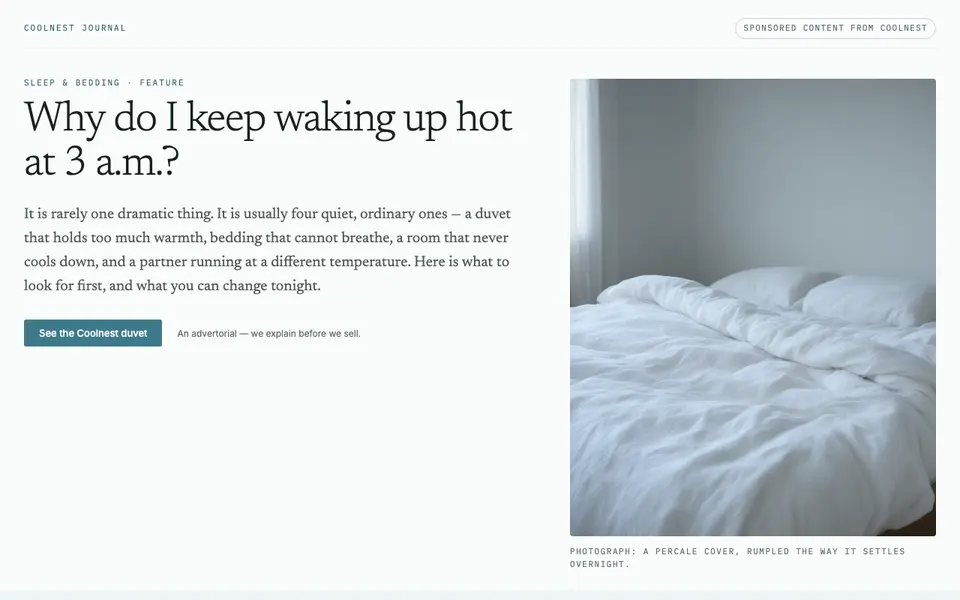
Make the first screen work like a poster
The first screen decides whether the reader scrolls. It has to confirm that they landed where the ad promised and give them a reason to keep reading. On a phone that means fewer elements, each larger:
- A sponsored label at the top, small but readable, so the page is honest from the first line.
- The headline, echoing the ad’s promise in the same words where possible.
- One image that shows the problem or the situation, not the product.
- A short standfirst of one or two sentences that tells the reader what they will learn.
Leave the byline, publication date and share buttons small or move them below the standfirst. They matter for credibility, but they should not push the headline below the fold.
Keep the reading rhythm short
- Short paragraphs. Two to four sentences each. A paragraph that fills the whole screen reads as a wall of text.
- Frequent subheads. A subhead every few screens lets skimmers find their place and lets readers who scrolled too fast come back.
- Body text at a comfortable size. Readers should not need to zoom. Line length takes care of itself on a phone; size and line spacing do not.
- One idea per image. An image between sections should illustrate what the next section says, not decorate the page.
- Pull quotes and highlighted lines sparingly. One or two help the skimmer; more make every line look equally important.
Replace wide layouts with mobile patterns
Some content is naturally wide: comparisons, sets of options, before-and-after pairs. On a phone, use patterns that keep the relationship visible instead of stacking everything:
| On desktop | On a phone |
|---|---|
| Comparison table with several columns | Two columns at most, or one card per option that the reader swipes through |
| Grid of features or benefits | A compact two-by-two grid of short items, or a horizontal row the reader swipes |
| Long list of questions and answers | Collapsed questions that open on tap, so the list fits on one or two screens |
| Images beside the text | Images between paragraphs, full width, each next to the text it illustrates |
| Sidebar with an offer box | A slim bar fixed to the bottom of the screen with one button |
Keep one call to action within reach
On a phone the reader cannot see the whole page, so they cannot see where the buttons are. Two placements cover most cases:
- Inline buttons after the sections where a reader is most likely to be ready: after the product is introduced, after the doubts are answered, and at the end.
- A sticky bar at the bottom of the screen that appears once the product has been introduced. Showing it from the first screen makes the page look like an advert before it has earned the reader’s attention.
Every button should lead to the same place and say the same thing. Make buttons large enough to tap with a thumb, and leave space around them so a scroll does not turn into an accidental tap.
What to leave out on mobile
- Pop-ups that cover the article. On a small screen they cover all of it, and closing them is fiddly.
- Autoplaying video with sound.
- Text inside images. It shrinks with the image and becomes unreadable, and screen readers cannot read it.
- Several competing offers. One product, one offer, one destination.
- Heavy images that slow the first screen. Readers from a feed leave quickly if the page is blank.