What the design has to do for a seller
An advertorial has two jobs that pull in different directions. The first half has to feel like something worth reading, or the visitor leaves before your product appears. The second half has to sell, clearly enough that a convinced reader knows exactly what to buy and where to click. Good advertorial design is mostly about handling that switch.
- Get read. The page should look like an article, so the reader gives it the attention an article gets.
- Stay honest. The sponsor label and your brand should be visible, so the trust you build is not lost when the product appears.
- Lead to one offer. Once the product is introduced, the design should make the next step obvious.
What makes a page look like an article, and what makes it look like an ad
Readers decide in a second whether they are looking at an article or a sales page. These are the signals they pick up on:
| Reads like an article | Reads like an ad |
|---|---|
| One column of text at a comfortable width | Wide banners, columns of feature icons |
| A headline that asks or answers a question | A headline that announces a product or a discount |
| Byline, date and a short standfirst | Prices, badges and countdowns at the top |
| Images that show the situation or the problem | Product shots from the first screen |
| Subheads that move the story on | Buttons between every paragraph |
| A restrained palette with one accent colour | Several bright colours competing for attention |
Everything in the first column belongs above the product section. The things in the second column are not wrong — they belong below it, where a reader expects prices, offer boxes and buttons and where they do their work.
How much of your brand to show
You want the page to be recognisably yours without looking like your homepage. A practical split:
- Colours: use your brand colour as the accent — links, subheads, the label, the buttons — on a plain light background. Large blocks of brand colour make the page read as an ad.
- Type: use your brand fonts if they read well at article length. A serif for headlines often helps the editorial feel; keep body text in a clear, plain face.
- Logo: small, next to the sponsor label near the top, and again in the product section. Not as a large header.
- Tone of the visuals: the same photography style and colour treatment as your other pages, so the product section does not look like it was pasted in from elsewhere.
If you buy a placement on a publisher’s site, their template sets most of this and you work within it. On your own page you decide, which is why it pays to have your brand rules written down first — see how to keep every landing page on brand.
Typography that keeps people reading
- Headline: the largest thing on the first screen, set in the editorial face. It should repeat the promise of the ad that sent the reader.
- Standfirst: one or two sentences under the headline, a step larger than the body, telling the reader what they will get from the article.
- Body text: large enough to read without zooming, with generous line spacing and short paragraphs. Long lines on desktop are tiring; keep the column narrow.
- Subheads: frequent and specific, so a reader who skims still follows the argument and can find their place.
- Emphasis: a pull quote or a highlighted line now and then. If everything is bold, nothing is.
Images: the story first, the product later
- First half: images of the situation or the problem — the reader’s world, not your packaging. Each one should illustrate the paragraph next to it.
- Product section: real photos of the product in use, and close-ups of what makes it different. This is where product shots belong.
- No text inside images. It becomes unreadable on phones, cannot be read by screen readers and cannot be edited without redrawing the image.
- Short captions where an image needs explaining. Skimmers often read captions even when they skip paragraphs.
- Light files. A slow first image costs you readers arriving from a feed.
Designing the product section and the buttons
The product section is where the page changes from article to offer. Mark the change clearly, with a subhead that connects it to the story so far rather than a sudden banner. Then lay out what a buyer needs to decide:
- What it is: a product image and two or three lines tying it to the problem the article explained.
- Why it is different: the specific points, each one answering a doubt the article raised.
- What it costs and what reduces the risk: price, trial, guarantee, delivery — in a clearly drawn box, so it is easy to find.
- One action: a button with the same wording and the same destination every time it appears.
Place inline buttons after the product introduction, after the doubts are answered and at the end. On phones, a slim bar fixed to the bottom of the screen can appear once the product is introduced — see how to lay out an advertorial for mobile readers.
Design the sponsor label to be seen
The label is part of the design, not a footnote. Put it at the top, above or beside the headline, in a size and contrast that can be read at a glance, and name your brand in it. Hiding it in grey small print near the footer risks getting the page rejected by ad networks, and it makes the product section feel like a trick when the reader reaches it.
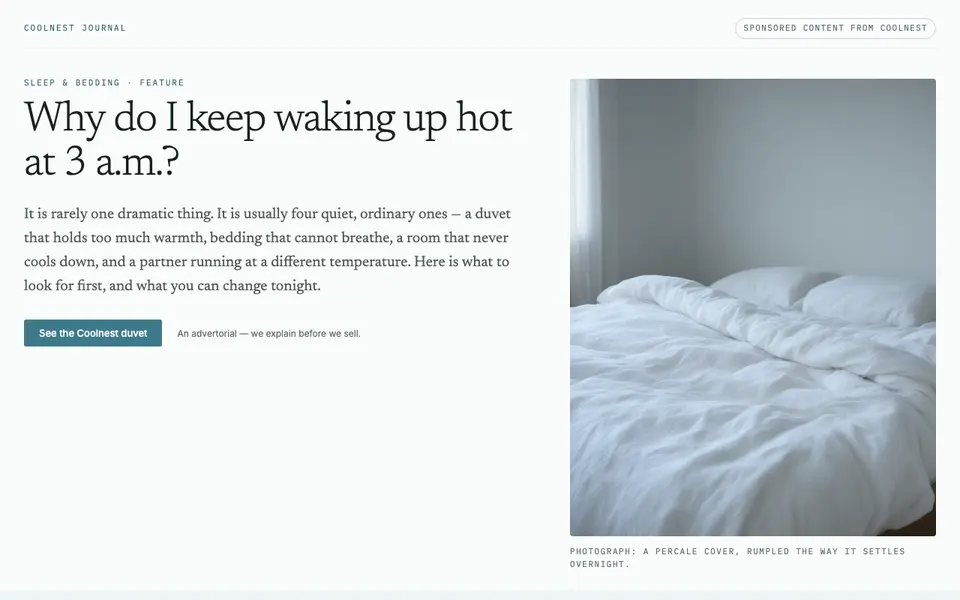
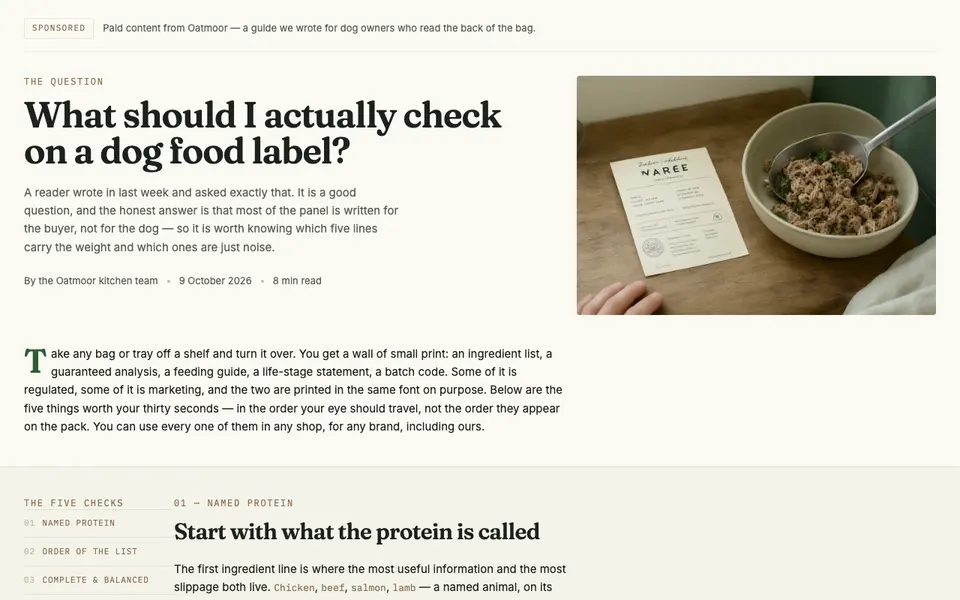
Two advertorial designs, compared
Both examples follow the same structure — a reader’s question, free advice, then the product as one option — but each takes its look from its brand’s own design system.
Design checklist before you launch
- The first screen shows the sponsor label, the headline and one image, and the headline matches the ad.
- Nothing above the product section has a price, a discount badge or a buy button.
- Body text is readable on a phone without zooming, and paragraphs are short.
- Every image illustrates the text next to it, and none contains text that matters.
- The product section is clearly marked and shows what it is, why it is different, the price and the risk reducers.
- Every button has the same wording and goes to the same page.
- Your brand colour, fonts and logo match your other pages.
- The page loads quickly on a phone connection.