What to prepare before you fill it in
A template cannot invent the parts that make an advertorial convincing. Gather these first; every block below draws on them:
- The reader: one sentence on who clicks the ad and what situation they are in.
- The question: the thing they are wondering when they click, in their words.
- The ad: the headline or hook of the ad that will send the traffic.
- What you can explain: causes, mistakes or criteria that help the reader whether or not they buy.
- Product facts: what it is, what makes it different, price, trial or guarantee, delivery — only what you can stand behind.
- The offer and destination: one offer and the one page every button will link to.
The template, block by block
| Block | What it does | Fill in |
|---|---|---|
| 1. Label and headline | Says it is sponsored and repeats the ad’s promise | “Sponsored by [brand]” · “[The reader’s question]?” or “[Number] [signs / mistakes / things to check] [about the problem]” |
| 2. Standfirst | Tells the reader what they will get from reading | “If you [situation], here is [what the article explains] — and what to do about it.” |
| 3. Opening | Shows you understand the problem and who has it | Two or three short paragraphs: the moment the reader recognises, why it is frustrating, why the usual fix has not worked. |
| 4. Explanation | Gives the reader something useful without the product | The causes, mistakes or criteria you prepared, one subhead each, with a tip the reader can use today. |
| 5. Bridge | Connects the explanation to your product | “If [the advice above] has not been enough, this is where [product] comes in.” |
| 6. Product and offer | Shows what you sell, why it fits, and what it costs | What it is · the two or three points that answer the explanation · price · trial, guarantee or returns. |
| 7. Doubts | Answers what stops a reader from buying | Three or four short questions and answers: price, effort, “will it work for me”, what happens if it does not. |
| 8. Call to action | Sends the reader to one place | One button text, repeated after the product block and at the end: “[Verb] [product or offer]”. |
How to adapt the template by format
Only block 4 changes between formats; the rest of the template stays the same.
| Format | Block 4 becomes | Headline pattern |
|---|---|---|
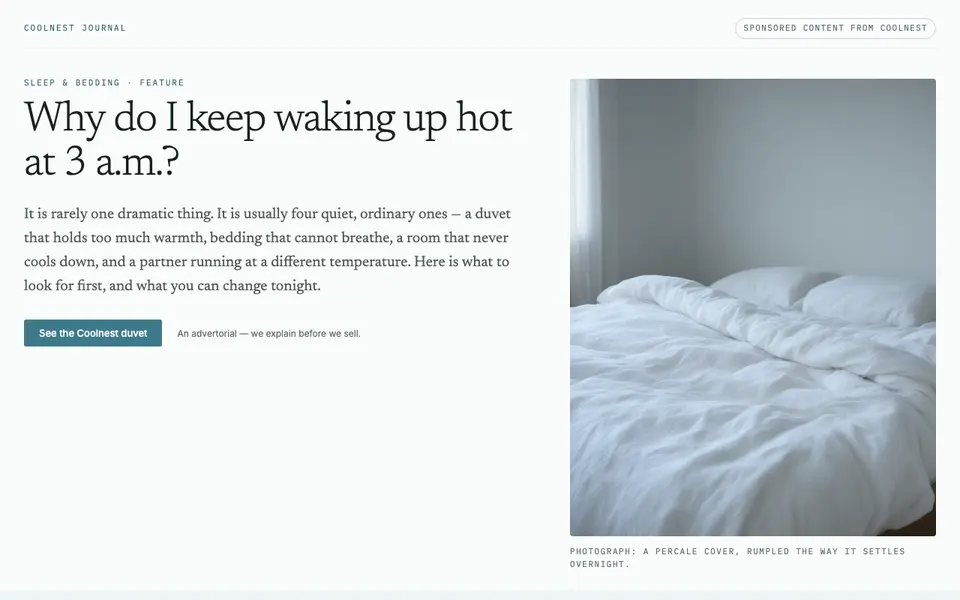
| Explainer | Causes of the problem, each with a fix | “Why do I keep [problem]?” |
| Listicle | A numbered list of signs, mistakes or reasons — see listicle advertorial | “[Number] signs you need [solution]” |
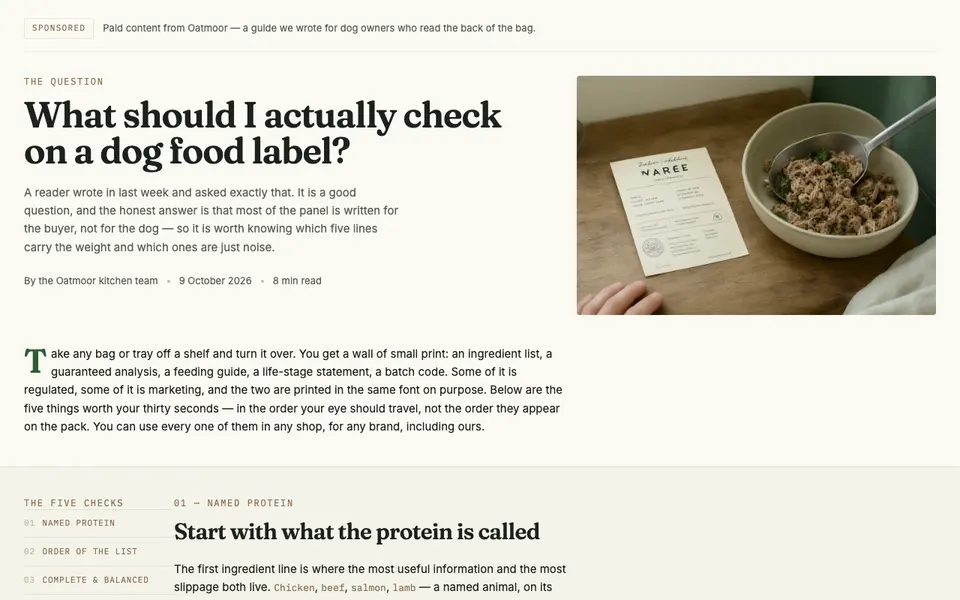
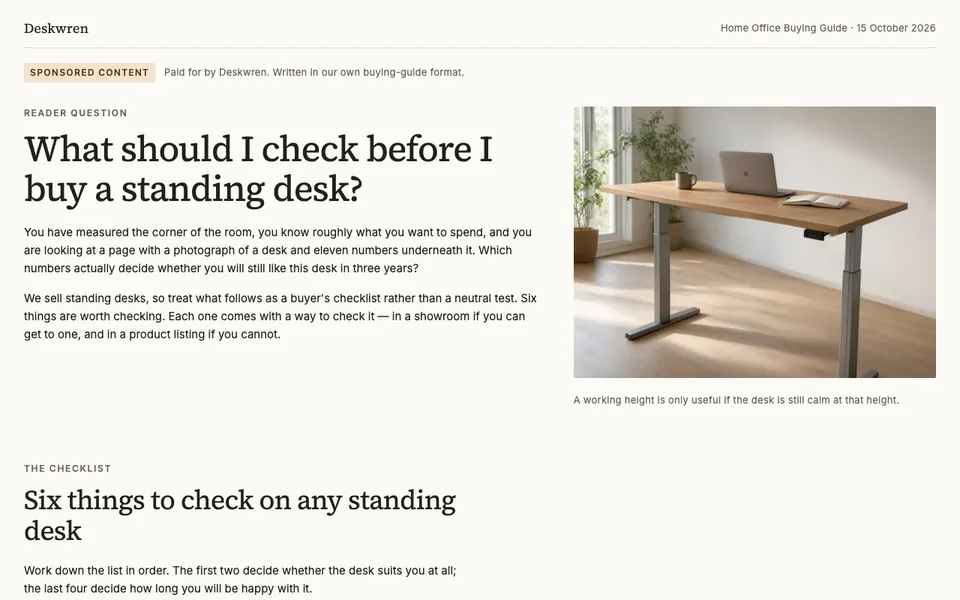
| Buying guide | The criteria to check on any product in the category | “What to check before you buy [category]” |
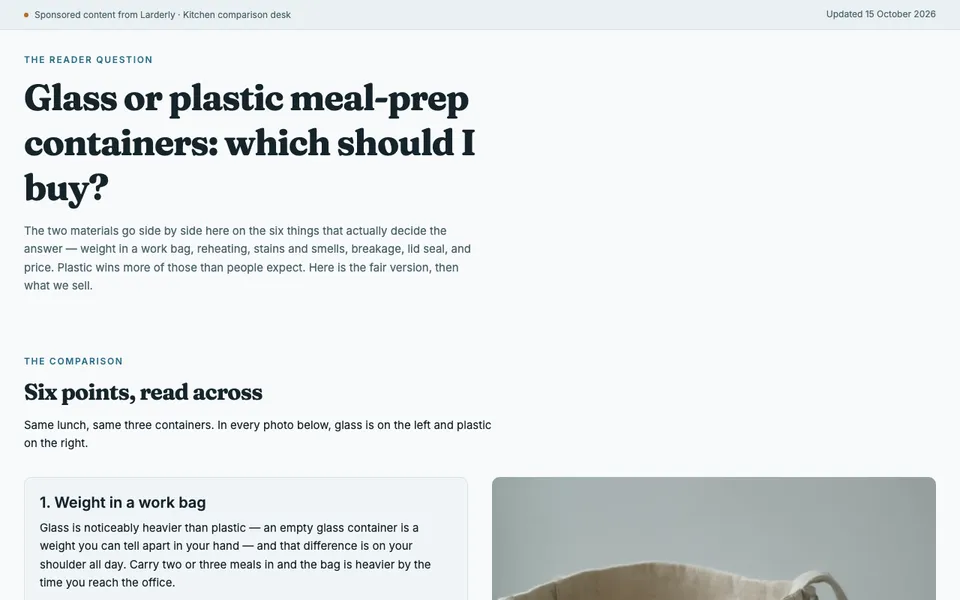
| Comparison | The familiar alternative against the other option, point by point, including where the alternative wins | “[Option A] or [option B]: which should you buy?” |
Review and founder-story formats need a real person and a real experience behind them, so they cannot be filled in from a template. Do not invent one.
The template, filled in
The examples below all follow the template; only block 4 changes. It is an explainer in the first, a guide in the second and third, and a comparison in the fourth. More are collected in advertorial examples. If you would rather start from a finished page than an outline, each one is also a free advertorial template in HTML that you can download and edit.
Where filled-in templates usually go wrong
- Block 4 is a sales pitch in disguise. If the explanation only makes sense for your product, readers notice. Write it as if there were no product.
- The bridge is skipped. Jumping from advice straight to a product card feels abrupt; one connecting paragraph is enough.
- New offers appear at the end. A second discount or product in the last block splits the decision.
- Placeholders survive. Read the finished page once, start to finish, and check that no bracket or sample phrase is left.
For layout and visual choices once the copy is in place, see advertorial design.